
Change in payment type Hourly rate/Fixed income
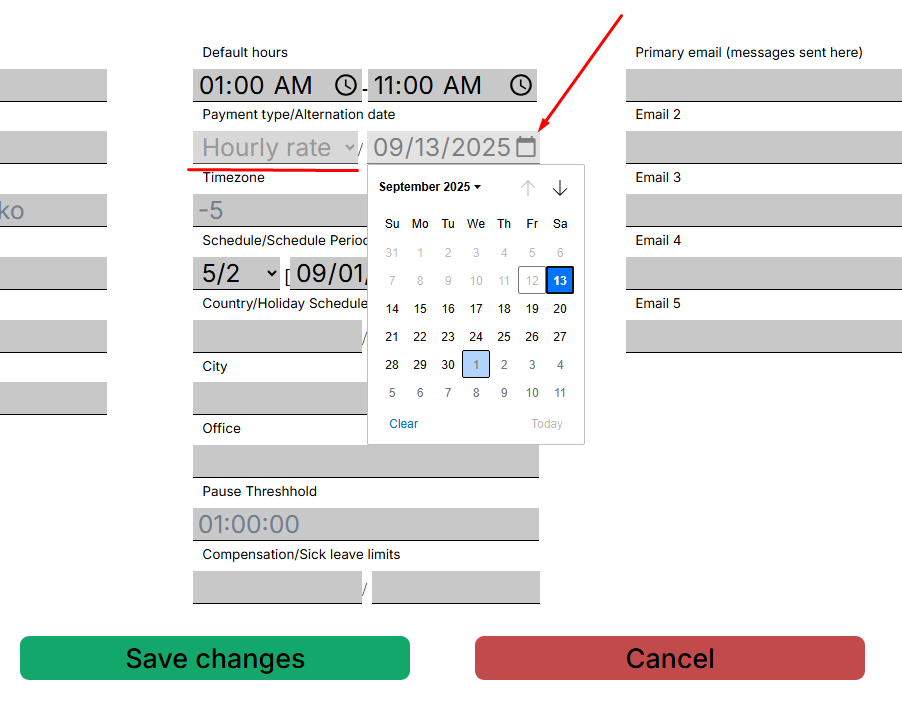
The Action Tracker system allows you to change the payment type in the contractor's profile to Hourly rate/Fixed income.
To change the payment type, open the profile of the relevant contractor, click on the date selection button - “Alternation date” and save the changes.
When the selected date arrives, the Action Tracker system will change the payment type for the contractor, after which reports will be calculated according to the corresponding algorithm for calculating working hours.
No Comments