
Contractor`s Data and Schedule corrections
The Action Tracker system implements the functionality of making adjustments to the activity of contractors who are added to the team.
To start making adjustments, you need find the right contractor and open their calendar.
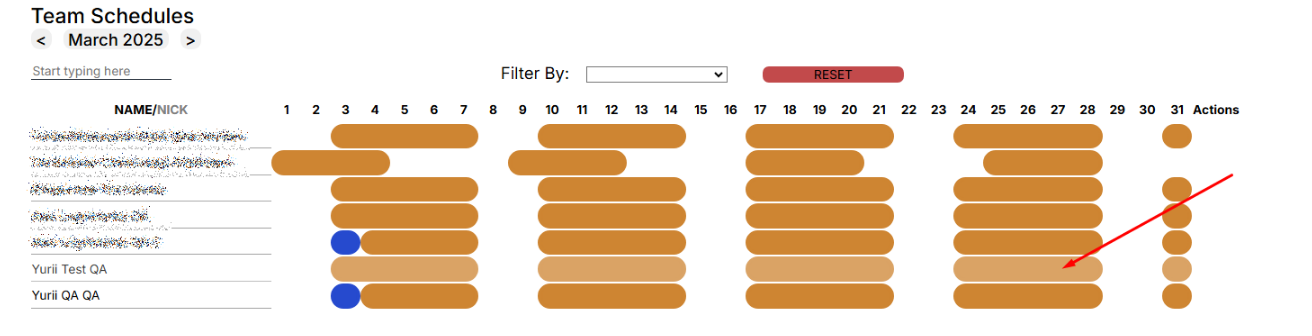
In the calendar, find the desired day, click on it.
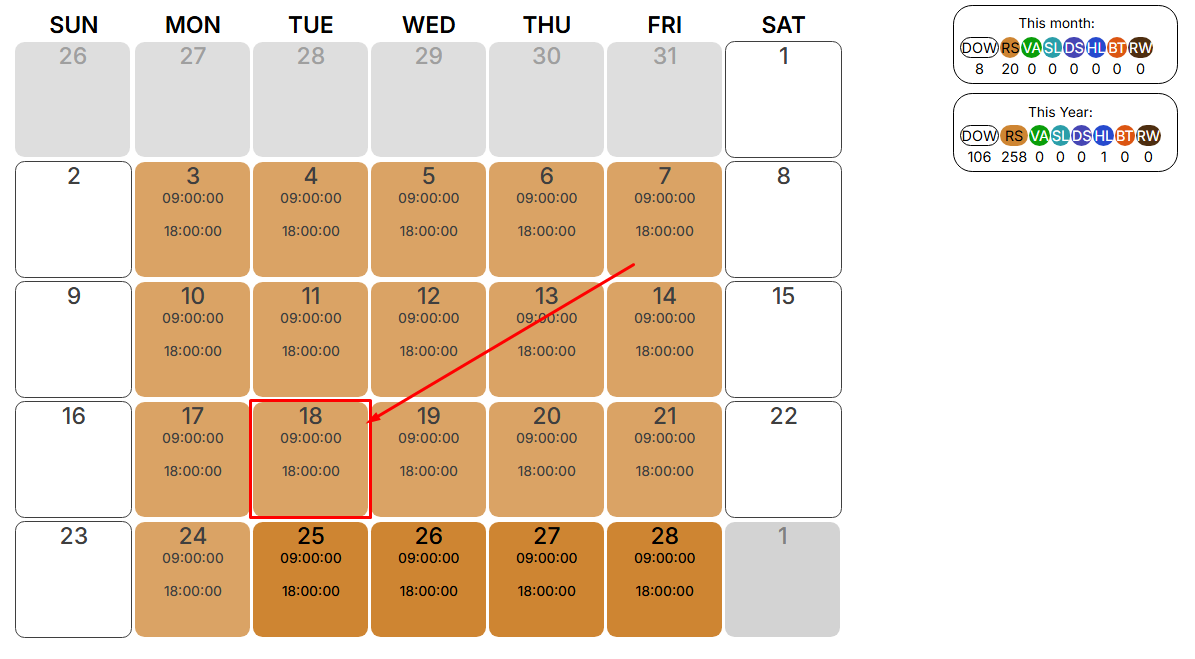
A window opens with the parameters that can be edited. Click the “EDIT” button, the fields that can be edited are highlighted.
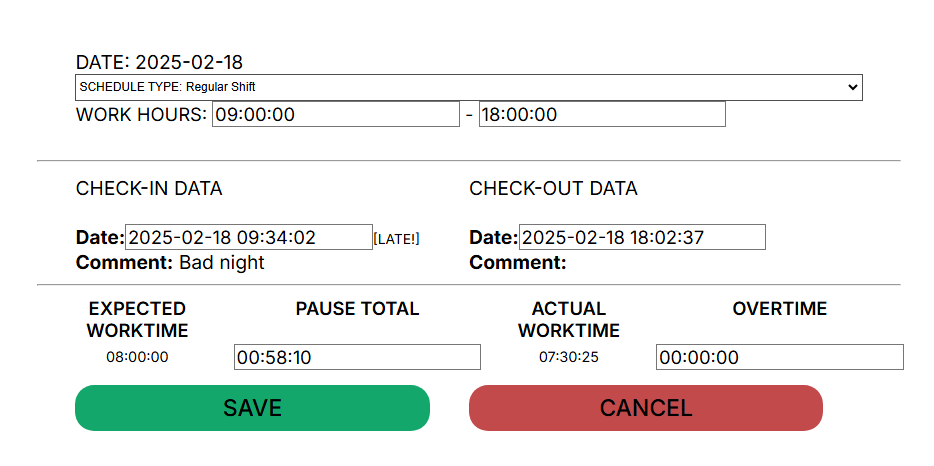
The following fields are available for correcting and entering data:
- Schedule Type
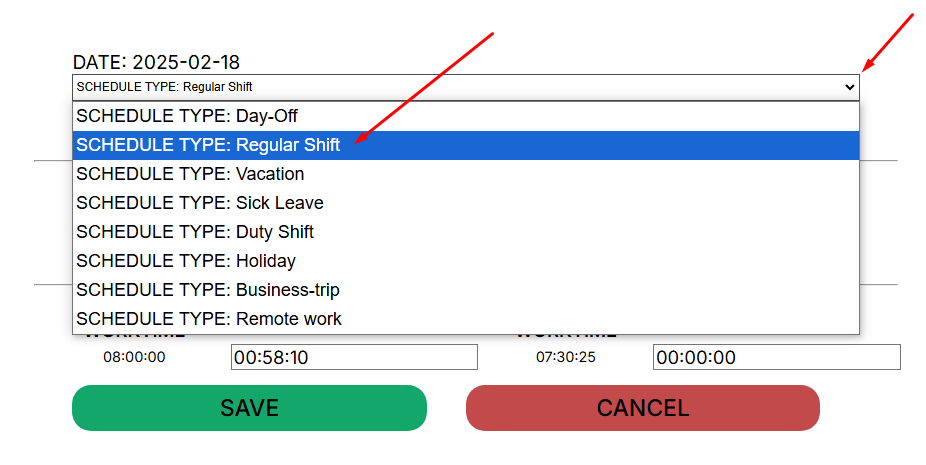
- Work Hours - work hours of reverse day employment
- Check-in/Check-out Data
- Pause Total
- Overtime
To save the corrected data, click the “Save” button. After saving the corrected data, the system will recalculate the hours.
When generating a report, the corrected data will be used and a mark will be set on the adjustments made.
Schedule Types:
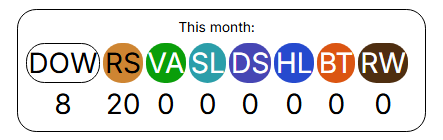
- DOW - DayOff/Weekend - absence, unpaid
- RS - Regular Shift - paid
- VA - Vacation - absence, paid
- SL - Sick Leave - absence, paid
- DS - Duty Shift - paid
- HL - Holiday - absence, paid
- BT - Business Trip - paid
- RW - Remote Work - paid, mark the day of work from home
Important! You can only correct data for previous periods.
Supervisor cannot change the data himself.
You can only edit existing data: Check-in/Check-out.
No Comments