
Auto Schedule 5/2, 4/4, 4/3
The Action Tracker system allows you to set up an automatic schedule for team members, with a start date for the schedule.
At this stage the following automatic charts are available for use:
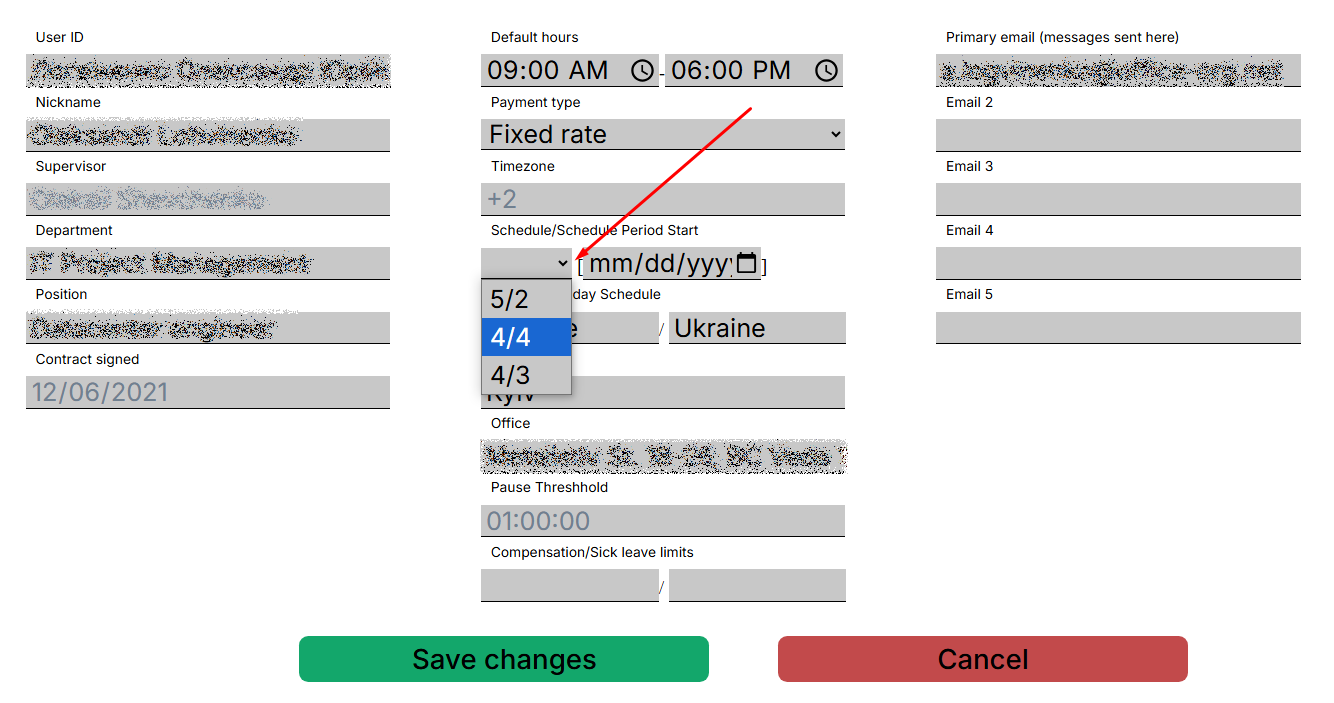
- 5/2 - five-day work schedule
- 4/4 - 4 weekdays and 4 weekends
- 4/3 - 4 weekdays and 3 weekends
To set the automatic schedule you should go to “My Team” and open the profile of the selected contractor. Select from the drop-down list in the contractor's profile
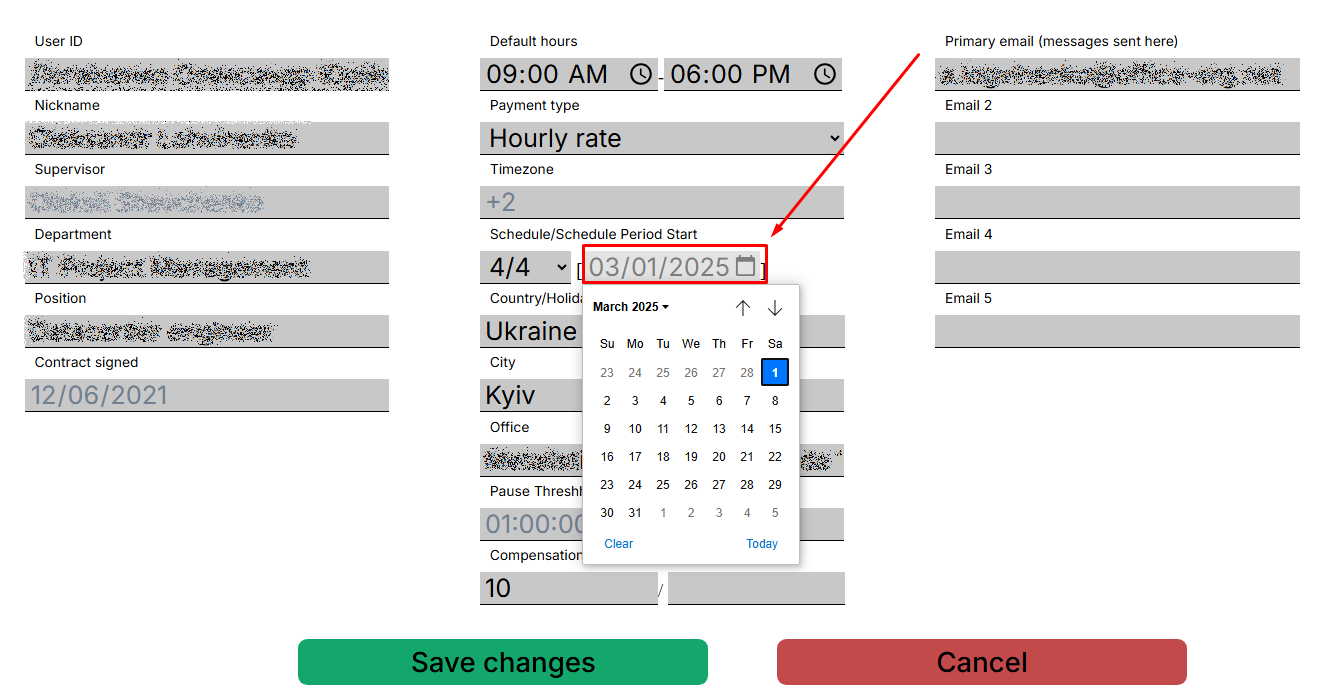
ОбьязательноIt устанавливаемis датуimportant стартаto графикаset иthe сохраняемstart внесенныеdate изменения.of the chart and save the changes afterwards.
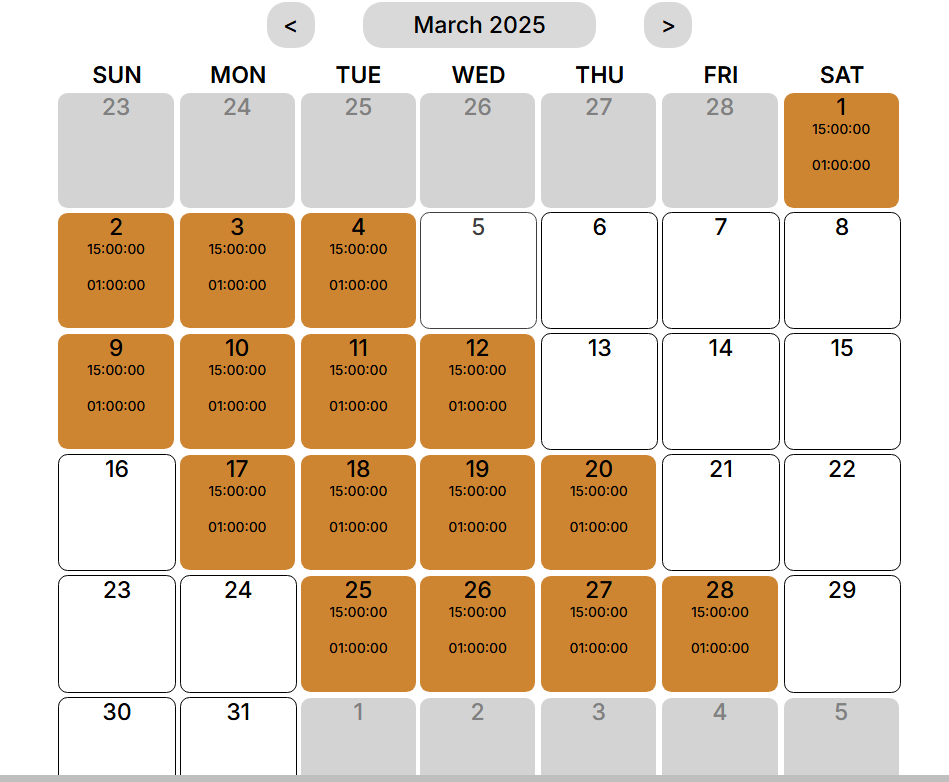
СистемаThe Action Tracker пересчитаетsystem иwill обновитrecalculate графикand занятости.Просмотретьupdate внесеныеschedule.You данныеcan можнаview вthe календареentered илиdata менюin "the calendar or in the “Team Schedule".ВидимSchedule” чтоmenu.You установленоcan see that 4 Regularregular shiftshifts иand 4 day off.off are set.

Важно:Pay attention:
-
ГрафикAустановленыйmanuallyвручнуюscheduleимеетhasвышеaприориетhigherчемpriorityавтоматическийthan an automatic one.. -
ЕслиIfужеtheбылscheduleустановленhasграфикalreadyвручную,beenтоsetавтоматическийmanually,егоtheнеautomaticзаменит,scheduleаwillтолькоnotдополнит.replace it, but will only supplement it. -
АвтоматическийTheграфикautomaticодновременноscheduleможнаcanприменитьonlyтолькоbeкappliedодномуtoконтрактнику.one contractor at a time.