# Request new user

[![image.png](https://mngrman.a-tracker.net/uploads/images/gallery/2025-02/scaled-1680-/image.png)](https://mngrman.a-tracker.net/uploads/images/gallery/2025-02/image.png)
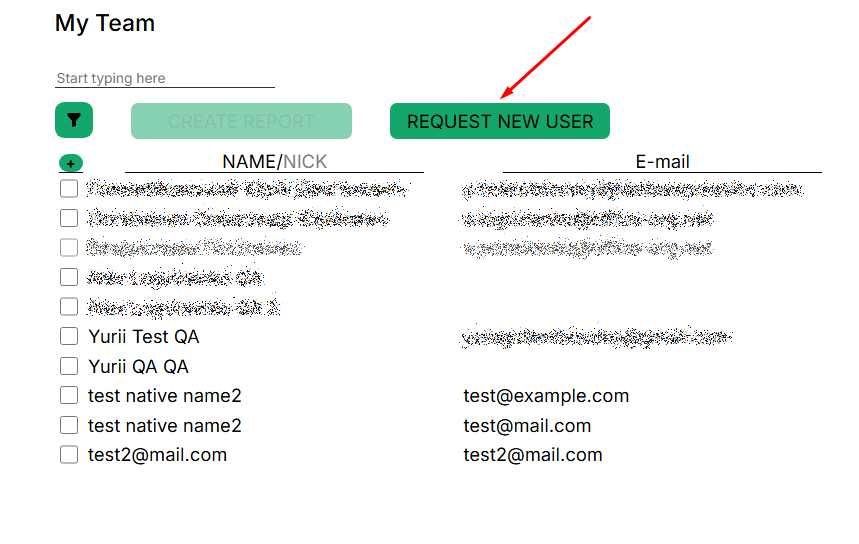

<span style="font-size: 12pt; font-family: Arial,sans-serif; color: #000000; background-color: transparent; font-weight: 400; font-style: normal; font-variant: normal; text-decoration: none; vertical-align: baseline; white-space: pre-wrap;">This menu provides the function of sending a request to add a contractor to the team.</span>

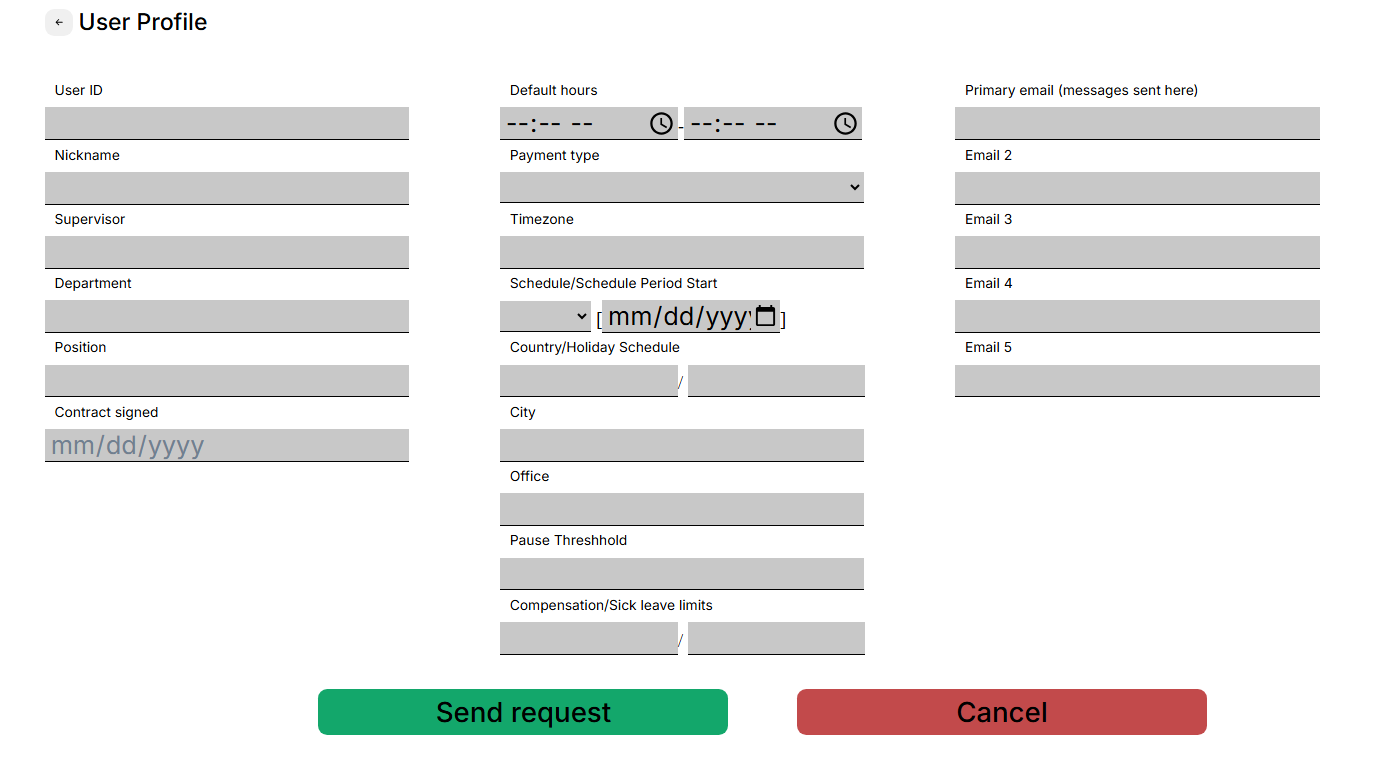
<span style="font-size: 12pt; font-family: Arial,sans-serif; color: #000000; background-color: transparent; font-weight: 400; font-style: normal; font-variant: normal; text-decoration: none; vertical-align: baseline; white-space: pre-wrap;">You need to click the button, then a window with fields to fill in will open.</span>

[![](https://mngrman.a-tracker.net/uploads/images/gallery/2025-02/scaled-1680-/image-1740399339176.png)](https://mngrman.a-tracker.net/uploads/images/gallery/2025-02/image-1740399339176.png)

<span style="font-size: 12pt; font-family: Arial,sans-serif; color: #000000; background-color: transparent; font-weight: 400; font-style: normal; font-variant: normal; text-decoration: none; vertical-align: baseline; white-space: pre-wrap;">Please fill in all the fields as much as possible and click the “Send request” button, the request will be sent to technical support for processing.</span>