# Holiday Schedule

<span style="font-size: 12pt; font-family: Arial,sans-serif; color: #000000; background-color: transparent; font-weight: 400; font-style: normal; font-variant: normal; text-decoration: none; vertical-align: baseline; white-space: pre-wrap;">Holiday Schedule - necessary for setting holidays, must be applied separately for each contractor in the team. This type of event in the employment schedule is counted as a paid day off.</span>

[![](https://mngrman.a-tracker.net/uploads/images/gallery/2025-09/scaled-1680-/image-1757682495588.png)](https://mngrman.a-tracker.net/uploads/images/gallery/2025-09/image-1757682495588.png)

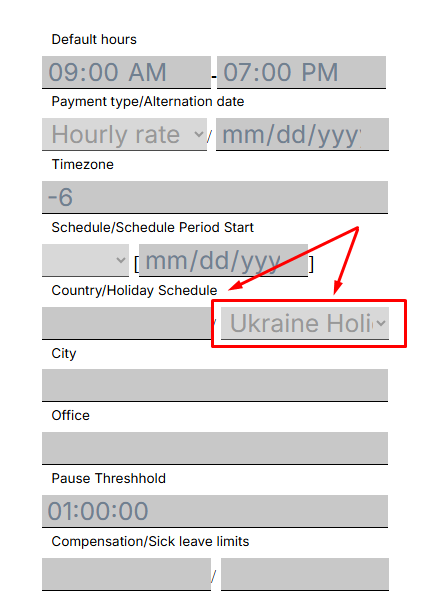
<span style="font-size: 12pt; font-family: Arial,sans-serif; color: #000000; background-color: transparent; font-weight: 400; font-style: normal; font-variant: normal; text-decoration: none; vertical-align: baseline; white-space: pre-wrap;">To configure the holiday setup for the selected contractor, open the profile of the relevant contractor, click the “Edit User” button, and select the setup from the drop-down list. Then click the “Save changes” button.</span>

[![](https://mngrman.a-tracker.net/uploads/images/gallery/2025-09/scaled-1680-/image-1757682719585.png)](https://mngrman.a-tracker.net/uploads/images/gallery/2025-09/image-1757682719585.png)

<span style="font-size: 12pt; font-family: Arial,sans-serif; color: #000000; background-color: transparent; font-weight: 400; font-style: normal; font-variant: normal; text-decoration: none; vertical-align: baseline; white-space: pre-wrap;">The action will be accompanied by a window about successful execution.</span>

[![](https://mngrman.a-tracker.net/uploads/images/gallery/2025-09/scaled-1680-/image-1757682866776.png)](https://mngrman.a-tracker.net/uploads/images/gallery/2025-09/image-1757682866776.png)

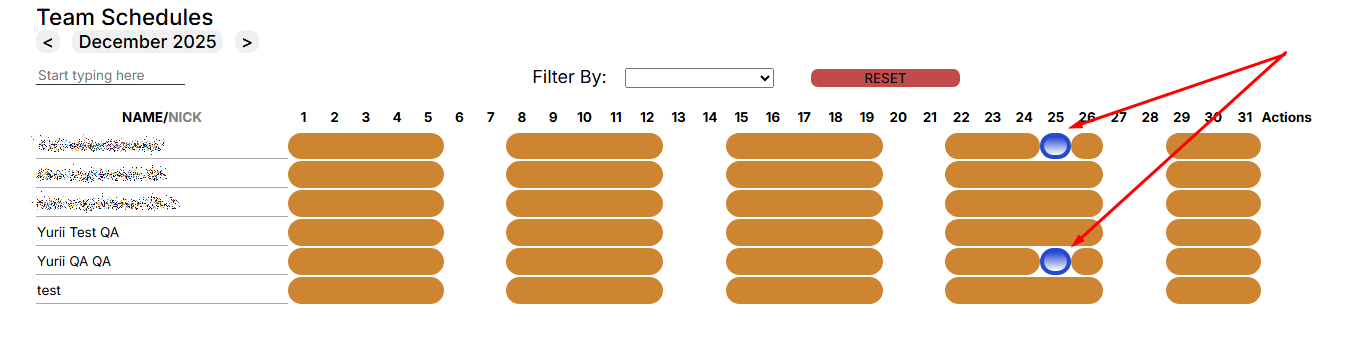
<span style="font-size: 12pt; font-family: Arial,sans-serif; color: #000000; background-color: transparent; font-weight: 400; font-style: normal; font-variant: normal; text-decoration: none; vertical-align: baseline; white-space: pre-wrap;">In the “Team Schedule” menu, the holiday will only apply to the selected contractor.
</span>

[![](https://mngrman.a-tracker.net/uploads/images/gallery/2025-09/scaled-1680-/image-1757683265336.png)](https://mngrman.a-tracker.net/uploads/images/gallery/2025-09/image-1757683265336.png)


[![](https://mngrman.a-tracker.net/uploads/images/gallery/2025-09/scaled-1680-/image-1757683100471.png)](https://mngrman.a-tracker.net/uploads/images/gallery/2025-09/image-1757683100471.png)
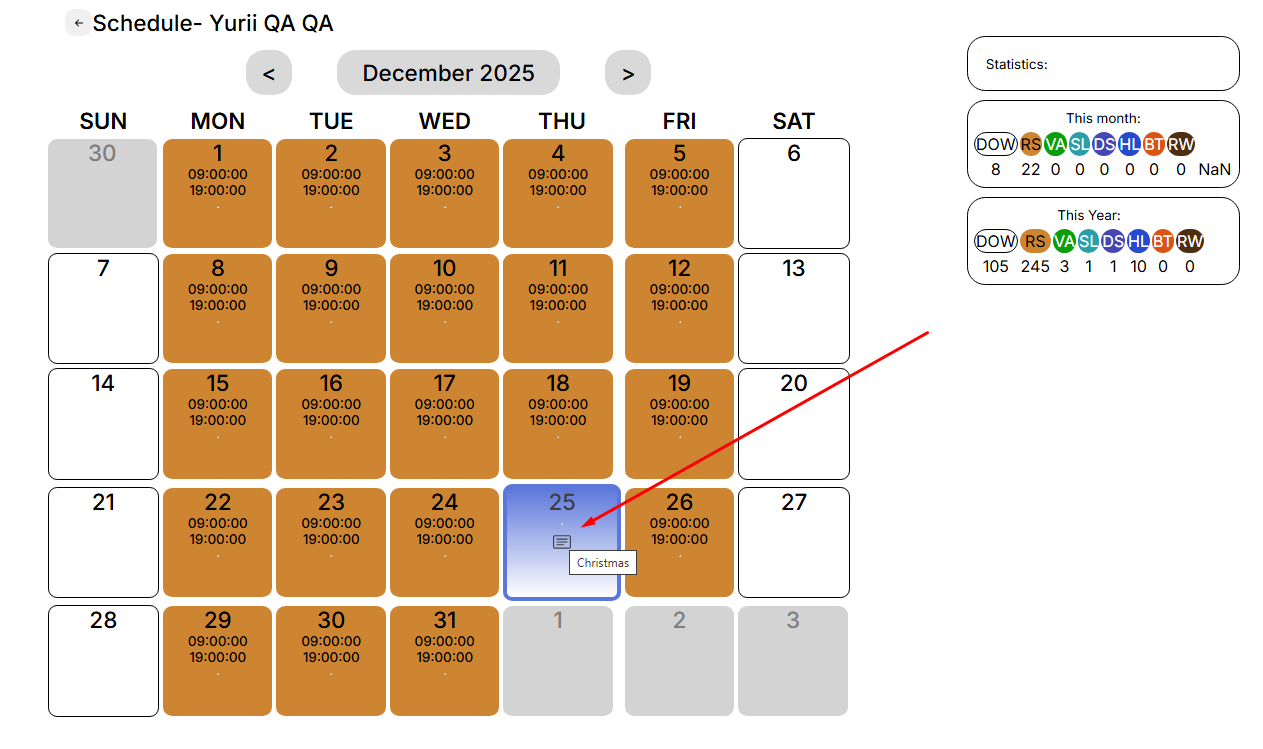

**<span style="font-size: 12pt; font-family: Arial, sans-serif; color: rgb(0, 0, 0); background-color: transparent; font-style: normal; font-variant: normal; text-decoration: none; vertical-align: baseline; white-space: pre-wrap;">Pay attention to: </span>**

- **<span style="font-size: 12pt; font-family: Arial, sans-serif; color: rgb(0, 0, 0); background-color: transparent; font-style: normal; font-variant: normal; text-decoration: none; vertical-align: baseline; white-space: pre-wrap;">The holiday will not apply to a contract employee who already had a personal schedule for that day.</span>**
- **<span style="font-size: 12pt; font-family: Arial, sans-serif; color: rgb(0, 0, 0); background-color: transparent; font-style: normal; font-variant: normal; text-decoration: none; vertical-align: baseline; white-space: pre-wrap;">The holiday will not apply to a contract worker who has less than one year to sign the contract.</span>**